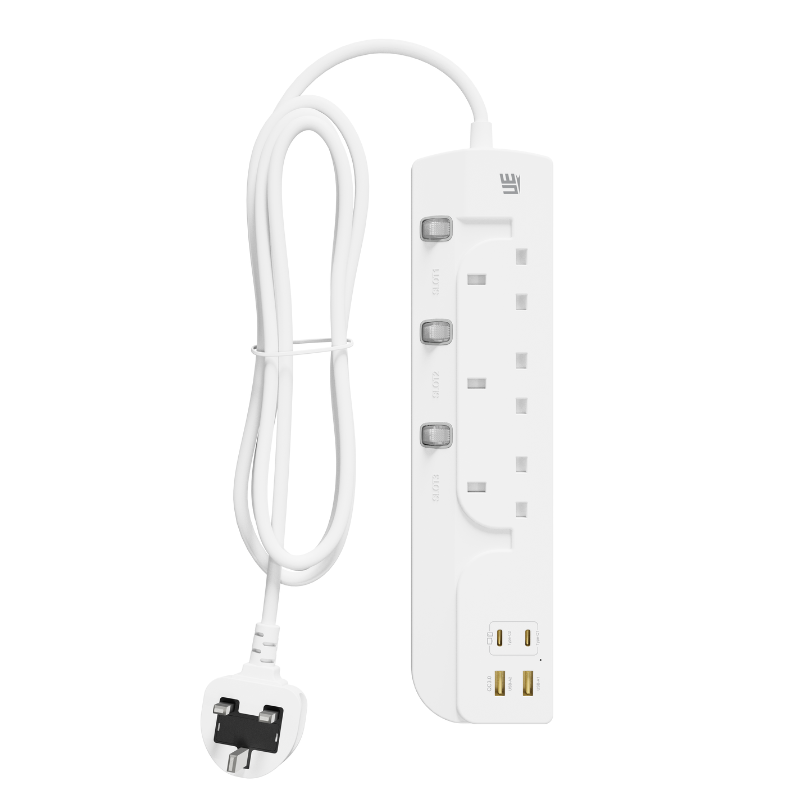
You want your Wi-Fi router dead center in your living room. Unfortunately, wall outlets rarely cooperate. This common deployment problem forces many people to improvise. Optimal router placement almost never aligns perfectly with your existing electrical layout. Should you run a long cable to bridge the gap?
Powering a router via an extension is physically easy. Still, it requires careful consideration before you plug it in. The type of equipment you use heavily impacts network stability. It also dictates hardware lifespan and overall fire safety. Choosing the wrong power delivery method can ruin your broadband speeds. It can even damage sensitive internal components.
This article evaluates the true performance impact of these setups. We explore safety compliance rules and interference risks. We also detail strict criteria for selecting the proper hardware for router relocation. Read on to learn how you can safely move your network core without sacrificing performance.
Key Takeaways
Powering a router via a high-quality, surge-protected extension socket is safe and will not directly degrade internet bandwidth.
Avoid plugging networking equipment into an extension socket shared with high-wattage or motorized appliances, as electromagnetic interference (EMI) can cause connection drops.
A standard extension socket is sufficient for power, but do not confuse electrical extensions with broadband/telephone extension lines, which *do* degrade ISP signal quality.
If evaluating a USB extension socket, ensure the voltage output matches the router’s specific requirements to prevent undervolting.
Power Extension vs. Broadband Line Extension: Defining the Scope
We must clarify a critical distinction immediately. Extending your power source is completely different from extending your data line. People often confuse these two concepts. You must understand the difference to protect your internet speeds.
The Electrical Extension (Power)
Electrical extensions simply move the AC power source closer to your router. You plug your router's normal power adapter into this new socket. This method introduces minimal risk to your actual data speeds. The power delivery just needs to remain stable. Your router functions identically whether it sits at the wall or five meters away. It only cares about receiving consistent voltage.
The Telecommunications Extension (Data)
Telecommunications extensions move the actual broadband signal. ISPs usually install a "master socket" on your wall. This socket marks where the external broadband line enters your home. Extending the ADSL, VDSL, or fiber optic line from this socket often increases attenuation. It physically weakens the incoming signal. Every extra meter of cheap data cable degrades the frequencies. This degradation results in severe packet loss and higher latency.
Decision Rule
You should always prioritize extending the power line. Never extend the raw broadband data line. Keep your modem or main router plugged directly into the ISP master socket whenever possible. Use long power cables to reach the device. If you need coverage further away, run Ethernet cables. Ethernet handles long distances effortlessly. Raw telecom lines do not.
Will an Extension Socket Degrade Network Performance?
A simple power cord does not process data. Therefore, it cannot directly slow down your internet. However, poor power delivery creates secondary effects. These secondary effects absolutely ruin network performance.
Electromagnetic Interference (EMI)
Alternating current runs through all power cords. This current naturally generates a small electromagnetic field. Cheap, unshielded cords leak this energy continuously. If you position an unshielded cord too close to router antennas, problems occur. The antennas pick up this electrical noise as radio frequency interference (RFI). The router must then work harder to filter this noise. It drops packets and resends them. You experience this process as sudden lag spikes.
Voltage Stability & Device Reboots
Wire thickness matters significantly. Low-gauge, thin wires create high electrical resistance. When you run power over long distances through thin wires, voltage drops occur. Routers require highly stable DC power from their adapters. If the incoming AC voltage fluctuates, the adapter struggles to compensate. Undervolting a router triggers self-preservation mechanisms. The device will reboot randomly. It will also drop active connections to protect its internal processor.
The "Shared Strip" Problem
Network infrastructure demands isolated power. You should never share an extension socket with high-draw household items. Microwaves, mini-fridges, and vacuum cleaners contain large motors. When these motors spin up, they pull massive amounts of current. They also inject electrical noise back into the power strip. This noise hits your router power adapter instantly. It creates micro-outages and severe interference. Always give your networking gear a dedicated power source.
Hardware Evaluation: Choosing the Right Extension Socket
You cannot use a generic dollar-store cord for network equipment. Routers run 24 hours a day, 365 days a year. They require robust, certified hardware.
Baseline Requirements
A bare-minimum, ungrounded cord is entirely insufficient. These cheap cords lack a grounding pin. They offer zero protection against electrical faults. If a short circuit occurs, an ungrounded cord passes the danger straight to your devices. Critical network infrastructure requires heavy-duty grounded cables. You need a stable foundation before you can ensure uptime.
Surge Protection vs. Power Strips
A basic power strip just provides extra outlets. It offers absolutely no defense against grid anomalies. You must use a true surge protector. Lightning strikes and grid fluctuations happen constantly. A joule-rated surge protector absorbs these massive voltage spikes. It utilizes internal components called Metal Oxide Varistors (MOVs). These MOVs sacrifice themselves to defend your sensitive router motherboard. Without them, a single power spike can permanently fry your expensive equipment.
Standard Extension Socket vs. Specialty Cords
Hardware choices depend entirely on your specific router model.
Standard Deployment: A standard extension socket handles traditional 12V/1A router power adapters perfectly. It acts as a transparent power bridge. It gives your original adapter the exact AC voltage it expects.
Specialty Deployment: Portable travel routers and modern smart-home hubs often drop traditional AC bricks. Instead, they rely on USB power. In these cases, a USB extension socket becomes highly useful. It removes the need for bulky adapter bricks. However, you must verify the output capabilities strictly. Most modern routers require at least 5V/3A. Supplying less current will force the router into a boot loop.
Build Quality Indicators
Do not trust marketing claims. Look for verifiable physical specifications. First, check the American Wire Gauge (AWG) rating. A lower AWG number means a thicker copper wire. Look for 14 AWG or 16 AWG ratings. Thicker wires handle continuous loads safely. Next, demand heavy-duty shielding. Shielding blocks the EMI we discussed earlier. Finally, check for strict safety certifications. UL compliance (Underwriters Laboratories) or CE marks guarantee the product passed rigorous electrical testing.
Hardware Comparison Chart
Hardware Type
Primary Use Case
Risk Level for Routers
Key Feature to Verify
Unshielded Basic Cord
Lamps, clocks
High (EMI & Voltage Drop)
Avoid entirely
Standard Surge Protector
Home office, networking
Low
Joule rating (>1000 Joules)
USB Integrated Socket
Travel routers, IoT hubs
Low (if specs match)
Amperage output (5V/3A minimum)
Implementation Risks and Rollout Best Practices
Even the best hardware fails if you deploy it incorrectly. Physical installation matters just as much as electrical specifications. Follow strict guidelines to prevent hazards.
Avoiding Daisy-Chaining
You might need to move your router across a large room. You might be tempted to plug one power strip into another. The industry calls this daisy-chaining. You must avoid it entirely. Daisy-chaining violates major fire safety codes. It multiplies electrical resistance rapidly. This resistance generates massive amounts of heat at the connection points. It also nullifies any surge protection guarantees. If you need a longer reach, buy a single, appropriately sized cable.
Physical Routing & Heat Dissipation
Cable management requires proper airflow. Router power bricks get surprisingly warm during heavy network traffic. Do not run power cords under heavy rugs. Rugs trap ambient heat and cause wires to degrade. Furthermore, do not coil excess cable tightly behind furniture. Tightly coiled live wires act like induction heaters. They will melt their own insulation over time. Unroll cables completely. Ensure the router adapter has open air around it to dissipate heat safely.
Interference Mitigation
Physical distance solves most interference problems naturally. Keep the main power block far away from the router itself. Never rest your router directly on top of a power strip. Maintain at least two feet of vertical or horizontal separation. This gap ensures the router antennas operate in clean, noise-free air. It drastically improves your wireless range and ping stability.
Deployment Checklist
Measure the exact distance to avoid excess cable clutter.
Verify the surge protector has an active grounding light.
Ensure the power block rests on a hard, uncarpeted surface.
Route the cable safely along baseboards to prevent tripping.
Separate the power brick from the router antennas by at least 24 inches.
Alternative Deployment Solutions (When to Avoid Extensions)
Sometimes, extending power is simply the wrong approach. Large homes and complex layouts often require different architectural solutions.
Powerline Adapters
You might consider using Powerline networking to bypass long cables. Powerline adapters send data through your home electrical wiring. However, these devices fundamentally conflict with surge-protected power strips. A good surge protector filters out high-frequency noise. Unfortunately, Powerline adapters use high frequencies to modulate data packets. If you plug a Powerline adapter into a surge strip, the strip destroys the data signal. You must plug Powerline gear directly into the wall.
Longer Ethernet Deployments
You should consider leaving the router exactly where it is. Keep it plugged directly into the wall socket. Instead of moving the router, run a long Ethernet cable to your devices. Cat6 and Cat6a cables can carry gigabit speeds up to 100 meters without any data loss. Ethernet handles distance far better than cheap electrical wires. You can easily hide flat Ethernet cables under carpets safely. They carry zero high-voltage risk.
Mesh Wi-Fi Systems
Pushing a single router into the center of a home rarely solves deep coverage issues. Long power cords just treat the symptom. Upgrading your network architecture solves the root cause. Mesh Wi-Fi systems use multiple broadcast nodes. You place one node at the wall socket. You place the second node halfway across the house. They communicate wirelessly to blanket your home. This approach eliminates the need for hazardous power cable runs entirely.
Conclusion
Plugging your router into a power extension is a highly viable solution. It presents very low risk if you execute the deployment correctly. You must use appropriate, high-quality hardware. Always insist on proper surge protection and heavy-gauge wiring. Ensure you provide dedicated power isolated from heavy household appliances. If you follow these physical and electrical rules, your router will operate flawlessly at its new location.
Your next steps are clear. Audit your current network power setup immediately. Verify your surge protection rating. Look for the active grounding indicator light. Most importantly, check your shared loads. Remove any vacuums, heaters, or mini-fridges from the same circuit. Secure your power delivery, and your internet performance will remain fast, stable, and highly reliable.
FAQ
Q: Can a power surge through an extension lead fry my ISP-provided router?
A: Yes, absolutely. Standard, unrated leads offer zero defense against grid fluctuations. A sudden voltage spike travels straight up the cord and destroys the router motherboard. You must use joule-rated, surge-protected models. These specialized strips absorb the excess energy before it ever reaches your sensitive network equipment.
Q: Does the length of the extension socket cable affect ping or Wi-Fi range?
A: It has no direct effect on ping or wireless range. The cord only delivers power, not data. However, excessively long, cheap cables can cause voltage drops. Undervolting makes the router processor unstable, which indirectly causes latency spikes or forces the device to reboot completely.
Q: Can I plug a Wi-Fi range extender into an extension socket?
A: It is physically possible, but network manufacturers strongly discourage it. Extenders are tuned to operate flush against a wall outlet. Placing them on loose cords alters their calculated antenna geometry. Furthermore, resting an extender near the floor on a power block induces severe signal noise and limits range.
UE Electronic is a power supplier integrating R&D, production and sales. We maintain a leading level in extension cord and GaN charger.We are committed to becoming a global power supplier.