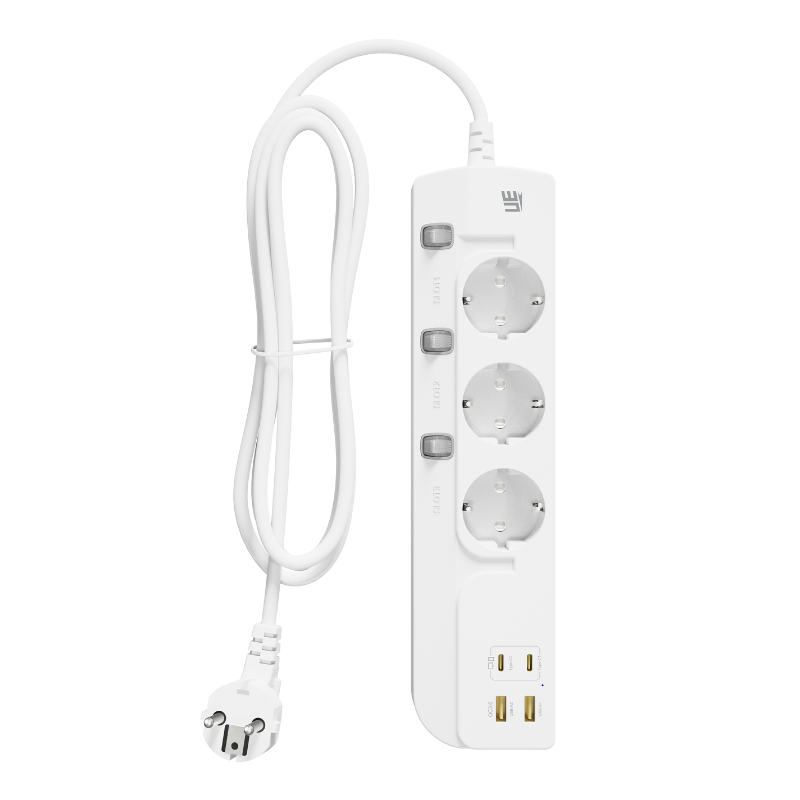
Yes, an extension socket can become warm during normal use, especially when several devices are connected or when its USB charging ports are operating at higher output. However, there is an important difference between normal warmth and unsafe overheating. A slightly warm housing may simply indicate that electrical current is passing through internal conductors and charging components. A socket that becomes too hot to touch, produces a burning smell, changes color, or shuts down repeatedly may be operating under unsafe conditions.
Modern Extension Socketproducts often combine AC outlets, USB-A ports, USB-C ports, fast-charging circuits, switches, and protection components inside one compact housing. This integrated design improves convenience, but it also means that the product must manage several sources of heat at the same time.
Understanding why extension sockets heat up, which conditions are acceptable, and when the product should be disconnected can help users avoid electrical damage and reduce fire risk.
Why Electrical Products Produce Heat
Electrical energy does not move through wires and components without resistance. Whenever current passes through a conductor, a small amount of energy is converted into heat. In a correctly designed extension socket operating within its rated limits, this heat should remain controlled and disperse through the housing and surrounding air.
The amount of heat generally increases as electrical current rises. Connecting a small phone charger places a relatively light load on an extension socket. Connecting several computers, displays, printers, or household appliances at the same time creates a higher combined current and therefore more heat.
Heat can also come from the electronic circuits used for USB charging. These circuits convert mains electricity into the lower-voltage direct current required by phones, tablets, laptops, and other devices. During this conversion, a portion of the energy is released as heat.
Warm Does Not Always Mean Dangerous
A USB charging area or power adapter may feel slightly warm after operating for a long period. This can be normal, particularly during fast charging. High-powered USB-C charging transfers more energy than basic USB charging, so some temperature increase is expected.
The product should still remain comfortable enough to touch under normal conditions. Heat should not continue increasing without stabilizing. If the housing becomes painfully hot, softens, produces an odor, or affects nearby materials, the extension socket should be unplugged immediately.
Overloading Is a Common Cause of Excessive Heat
Every extension socket has a maximum voltage, current, and total power rating. These figures indicate how much electrical load the unit is designed to handle safely. When connected equipment demands more than this limit, internal conductors and contacts may become excessively hot.
Overloading is not determined simply by the number of plugs connected. Five low-power chargers may use less electricity than one portable heater. The combined wattage of all operating devices is the more important figure.
High-power appliances such as electric heaters, kettles, coffee machines, hair dryers, cooking equipment, and microwave ovens can consume a large portion of an extension socket’s rated capacity. Using several of these products together may exceed the safe load very quickly.
Count Power, Not Just Devices
Users should check the wattage label on each appliance and calculate the likely combined load. For example, a monitor, laptop charger, desk lamp, and phone charger may remain comfortably within the product rating. Adding a high-powered heater could bring the total close to or above the limit.
A built-in overload protector may disconnect the power when this happens. That cutoff should be treated as a warning rather than an inconvenience. Repeatedly resetting the socket without reducing the load can lead to recurring heat buildup.
Loose Plug Connections Generate Localized Heat
A plug should fit firmly inside an AC outlet. When the connection is loose, the contact area becomes smaller and electrical resistance increases. This resistance can produce concentrated heat around the plug pins and socket contacts.
Loose connections may occur because the outlet contacts have worn over time, the plug pins are damaged, or the plug and socket standards are not properly matched. A plug that moves easily, falls out, or works only when held at a certain angle should not be ignored.
Localized heating can damage both the extension socket and the connected plug. It may cause discoloration, melting, sparking, or electrical arcing. In serious cases, the heat can spread to nearby plastic or cables.
Large and Heavy Adapters Can Add Stress
Some laptop chargers, networking adapters, and smart-device power supplies are large and heavy. When these adapters hang from the extension socket, they can place mechanical pressure on the internal contacts.
If possible, the socket should be positioned so that heavy adapters are supported rather than hanging at an angle. Products with wider outlet spacing may also provide a more stable connection and reduce interference between neighboring plugs.
Damaged Cables Can Increase Electrical Resistance
The cable connecting the extension socket to the wall outlet must carry the full combined current of all connected devices. If the cable is cut, crushed, repeatedly bent, or damaged internally, its electrical resistance may increase.
A damaged cable can become warm in one particular area, especially near the plug or where the cable enters the socket housing. This type of uneven heating is a warning sign.
Cables should be checked regularly for exposed conductors, flattened sections, cracks, melted insulation, and severe twisting. A damaged mains cable should not be repaired with ordinary adhesive tape. The extension socket should be removed from use and replaced or professionally serviced where appropriate.
Tightly Coiled Cables Hold in Heat
Long cables are sometimes left wrapped in a tight coil because only a small length is needed. When substantial current passes through a coiled cable, the heat generated by one section can affect the surrounding layers. The coil also reduces airflow around the cable.
For heavier loads, the cable should be extended rather than kept tightly bundled. It should also be placed where air can circulate and where it will not be trapped beneath rugs, furniture, bedding, or storage boxes.
Poor Ventilation Prevents Heat From Escaping
An extension socket depends partly on the surrounding air to release heat. Placing it in an enclosed cabinet, under a sofa, beneath a carpet, or behind tightly packed furniture can restrict airflow.
This problem is particularly relevant for products that include fast USB charging circuits. The internal electronics may be operating normally, but the generated heat cannot disperse efficiently when the housing is covered.
The socket should be positioned on a stable, dry, open surface. It should not be covered with clothing, bedding, paper, or other materials. It should also be kept away from radiators, cooking equipment, direct sunlight, and other external heat sources.
Room Temperature Also Affects Performance
Electrical products generally operate more comfortably in moderate indoor temperatures. In a hot room, the extension socket begins operation at a higher temperature and has less ability to release additional heat.
Workshops, warehouses, sun-facing rooms, vehicles, and temporary outdoor areas can become much hotter than ordinary offices or homes. A general indoor extension socket may not be suitable for these environments unless its specifications clearly support them.
USB Fast Charging Can Make One Area Feel Warmer
USB-A and USB-C charging systems contain conversion circuits that reduce and control voltage. Higher charging output usually creates more heat than basic low-power charging.
A 65W USB-C charging port, for example, manages considerably more power than a basic 5W port. When used to charge a compatible laptop, the section around the USB module may feel warmer than the AC outlet area.
This does not automatically mean that the product is overheating. Efficient circuit design, suitable components, heat-resistant materials, and temperature protection can keep the product within a safe operating range.
Shared Charging Changes the Thermal Load
When several USB ports are used simultaneously, the extension socket may divide its total charging power among connected devices. Although individual port output may fall, the overall charging system remains active and continues producing heat.
Users should check whether the stated USB output refers to one port or to all ports combined. A product designed for 65W total output should not be assumed to provide 65W from every USB port at the same time.
Clear power-distribution information makes it easier to connect devices in suitable combinations and reduces unnecessary stress on the charging system.
Dust and Contamination Can Affect Heat Management
Dust may collect around socket openings, switches, and ventilation gaps. In normal household conditions, a small amount of dust may not cause immediate problems. Heavy buildup, however, can interfere with airflow and contaminate electrical contacts.
Metal particles, workshop dust, moisture, oil, and food residue create more serious risks. These materials may affect insulation or create unstable electrical paths inside the product.
The extension socket should be unplugged before cleaning. Its exterior can usually be wiped with a dry or slightly damp cloth, depending on the manufacturer’s instructions. Water or cleaning liquid should never be allowed to enter the outlets or USB ports.
Low-Quality Components May Run Hotter
Two extension sockets with similar external designs may perform very differently. Internal conductor thickness, socket contact material, cable specification, power conversion efficiency, soldering quality, and protection components all influence temperature control.
Thin conductors and poor-quality contacts can create higher resistance. Inefficient charging circuits may convert more energy into waste heat. Weak internal connections may become hot even when the total load appears moderate.
This is why buyers should consider product ratings, certification, manufacturing quality, and testing rather than focusing only on appearance or price. A reliable extension socket should provide clear technical information and should be designed for the electrical standards of its intended market.
Flame-Retardant Housing Is Important but Not a Complete Solution
Many extension sockets use flame-retardant plastic to improve resistance to heat and reduce the spread of fire. This material is an important safety feature, but it does not make overloading or damaged connections acceptable.
The housing is only one part of the safety system. Proper internal design, overcurrent protection, thermal control, secure terminals, and suitable cable construction are equally important.
How to Recognize Unsafe Overheating
Users should pay attention to changes in temperature, smell, sound, and appearance. Warning signs include a housing that becomes too hot to touch, a burning or chemical odor, buzzing or crackling noises, flickering power, repeated shutdowns, dark marks around outlets, melted plastic, or sparks when plugs are moved.
If any of these signs appear, disconnect the extension socket from the wall as soon as it is safe to do so. Do not continue testing it with different appliances. A product that has already shown heat damage may have deteriorated internal insulation or contacts.
Users should not open the housing to inspect the internal parts. Mains-voltage components can remain dangerous, and improper repairs can make the problem worse.
What to Do When the Socket Feels Unusually Hot
Switch off connected devices, unplug the extension socket, and allow it to cool on a nonflammable surface. Check the connected load, cable condition, plug fit, and ventilation around the product.
If the socket became hot because it was covered or heavily overloaded, correcting the operating conditions may prevent a repeat. However, if excessive heat returns under a light load, the product should be replaced.
Simple Habits Can Reduce Overheating Risk
Use the extension socket only within its rated electrical limit and avoid connecting several high-power appliances at the same time. Keep the cable fully extended when carrying heavier loads, place the unit in an open area, and make sure plugs fit securely.
Do not connect one extension socket into another, as this can make the total load difficult to control and may place excessive current through the first unit. Damaged adapters, plugs, and cables should also be replaced promptly.
For long-term installations, choose a product with the correct outlet count and cable length rather than relying on temporary arrangements. A properly selected extension socket is easier to use safely than one that is constantly operating at maximum capacity.
Safe Temperature Control Starts With the Right Design
An extension socket can overheat because of excessive electrical load, loose contacts, damaged cables, poor ventilation, high ambient temperature, inefficient charging circuits, contamination, or component wear. Slight warmth may be normal, but strong heat, odor, discoloration, or repeated shutdowns require immediate attention.
For brands, distributors, and commercial buyers developing extension socket products for different markets, UE Electronic provides support for regional plug designs, AC outlet configurations, USB-A and USB-C charging, GaN power solutions, thermal protection, overload protection, housing development, testing, labeling, and customized packaging. By matching the power rating, charging output, materials, and protection system to the intended application, extension sockets can deliver more stable performance in homes, offices, hotels, retail environments, and other everyday settings.
UE Electronic is a power supplier integrating R&D, production and sales. We maintain a leading level in extension cord and GaN charger.We are committed to becoming a global power supplier.