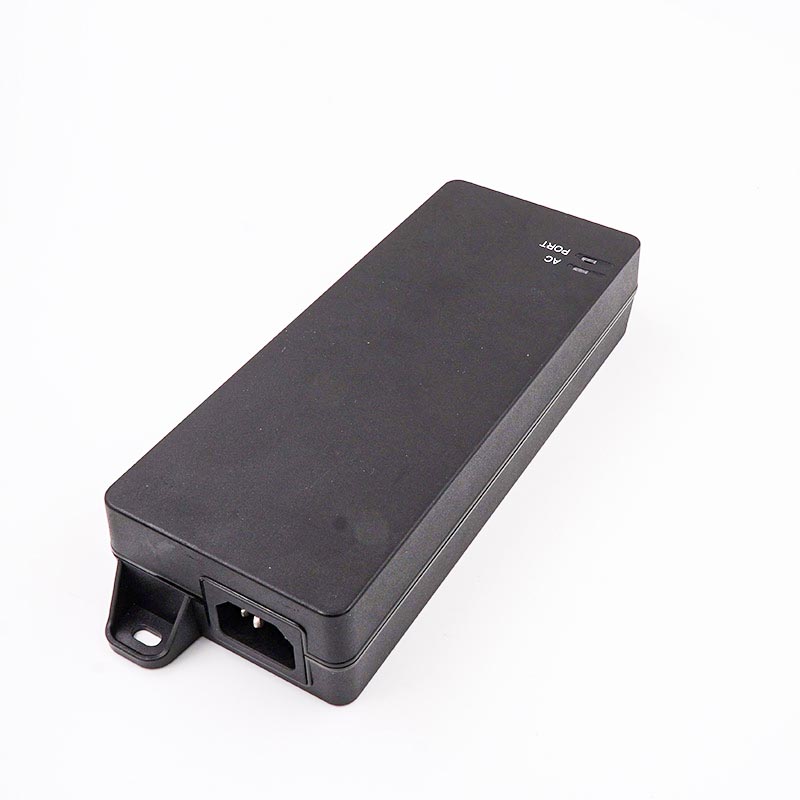
Enterprises often upgrade to high-bandwidth access points or AV equipment. They typically do this without replacing their entire non-PoE network switch. This deployment scenario is highly common across enterprise and prosumer environments. It saves immediate capital expenditure and extends the life of existing network cores.
However, this strategy introduces core anxiety for IT administrators. Many professionals worry about inserting a midspan power device. They fear they might unintentionally create a data bottleneck on their high-speed network. Network performance relies heavily on every single link in the chain.
The physical reality is straightforward. A properly matched power device does not degrade network speed at all. Conversely, using legacy hardware on multi-gigabit infrastructure strictly caps throughput. Your connection will only operate at your injector's maximum rated speed. In this article, you will learn how to map power and data requirements perfectly. We will help you avoid bottlenecks and maximize your network investments.
Key Takeaways
Hardware Dictates Limits: A PoE injector processes data through physical transformers; a Gigabit PoE injector will physically cap a 10G network link at 1Gbps.
Independent Metrics: Power output (e.g., 30W vs. 90W) and data throughput (e.g., 1G vs. 10G) are separate specifications that must be evaluated independently.
The Upgrade Bridge: 2.5G and 10G PoE injectors are the most cost-effective way to deploy Wi-Fi 6E and Wi-Fi 7 access points without overhauling existing core switches.
Cabling Matters: High-speed PoE (5G/10G) combined with high power (IEEE 802.3bt) requires strict adherence to Cat6a cabling standards to prevent thermal issues and packet loss.
The Physical Layer: Can PoE Injectors Throttle Your Network?
Understanding how midspan injection works is critical. High-quality PoE Injectors seamlessly combine power and data on twisted-pair Ethernet cables. They do this without modifying the actual data packets. The device injects DC voltage directly onto the copper wires. Data signals run simultaneously over these exact same wires. Because the frequencies of power and data differ vastly, they do not interfere.
The Transformer Bottleneck
Speed caps occur purely at the physical hardware layer. Injectors use internal magnetic transformers. These components isolate electrical power from sensitive data streams. The internal magnetics possess specific bandwidth ratings. If you buy a device rated only for 1000Base-T, it lacks the physical bandwidth for multi-gigabit transmission. Any connected 2.5G or 10G equipment will auto-negotiate down. The link drops immediately to 1Gbps to maintain stability.
Latency and Packet Loss Myths
Many network engineers harbor misconceptions about midspan devices. They mistakenly believe active devices introduce packet loss or high latency. Active, standards-compliant models do not introduce measurable latency. They never process, buffer, or read data frames. They operate purely at Layer 1 of the OSI model. Data simply flows through the internal transformers. Power is added, but the data payload remains untouched. You will not see increased ping times. You will not experience packet dropping unless the hardware is defective.
Best Practice: Always verify the base-T rating of your power hardware before installation. Do not assume all modern-looking devices support multi-gigabit speeds.
Matching Throughput to Hardware: 1G to 10G Explained
Selecting the right hardware prevents network throttling. Each speed tier serves a distinct purpose in modern infrastructure. You must match the midspan hardware to your endpoint capabilities.
Best for: Wi-Fi 6/6E access points and 4K AV-over-IP endpoints.
ROI Factor: It hits the absolute sweet spot for upgrading networks. It maximizes your existing Cat5e cable infrastructure. You gain faster speeds without ripping open walls to replace cables.
Best for: Wi-Fi 7 deployments, cellular small cells, and high-end PTZ cameras. It is essential for future-proofing enterprise networks.
Requirement: It strictly requires Cat6a cabling for reliable performance at maximum distance.
Injector Speed Comparison Chart
Speed Rating
Target Endpoint
Minimum Cable Standard
Primary Use Case
1Gbps
VoIP, IP Cameras
Cat5e
Basic office connectivity
2.5Gbps
Wi-Fi 6 / 6E APs
Cat5e
Modern wireless access
5Gbps
Niche AV systems
Cat6
Specialized enterprise media
10Gbps
Wi-Fi 7, Small Cells
Cat6a
High-density backhaul
The Wi-Fi 7 Upgrade Trap: Solving the 1Gbps Speed Cap
Modern wireless standards bring incredible speed capabilities. Unfortunately, they also bring complex deployment traps. The most common trap involves mismatched hardware during upgrades.
The Business Problem
Users often invest heavily in multi-gigabit Wi-Fi 7 Access Points. They deploy these impressive devices across their offices. Later, they find their wireless speeds strictly capped at 1Gbps. This happens because administrators reuse older power injectors or legacy switches. A 10Gbps access point cannot push 10Gbps through a 1Gbps physical transformer. The network automatically downgrades the link. The expensive Wi-Fi 7 investment becomes largely wasted.
The Midspan Solution
You can easily bypass this bottleneck. You simply deploy a high-speed midspan device. Insert a 2.5G or 10G midspan injector between your standard multi-gig unmanaged switch and the new access point. This preserves the multi-gigabit data pathway. It also provides the massive 60W or 90W power draw required by advanced Wi-Fi 7 radios.
Cost-to-Outcome Ratio
Compare the upfront capital expenditure of both approaches. Purchasing a brand new 48-port multi-gigabit PoE++ switch is tremendously expensive. It often consumes large portions of an annual IT budget. Conversely, a high-speed injector costs very little. If you only need to power four new Wi-Fi 7 access points, midspan injection makes perfect financial sense. You achieve the exact same 10Gbps outcome. You avoid replacing a perfectly functional core switch.
Evaluation Framework: Sizing PoE Injectors for the Enterprise
Procuring the right equipment requires systematic evaluation. Administrators must juggle both electrical demands and bandwidth requirements simultaneously.
Power vs. Data Matrix
Network devices follow specific IEEE standards for power. Data speeds operate independently of these power standards. You must map them together correctly. Standard 802.3af delivers 15.4W. This handles basic 1G VoIP phones perfectly. Standard 802.3at delivers 30W. This works well for 2.5G Wi-Fi 6 access points. However, Wi-Fi 7 often requires both 10G throughput and 802.3bt power (60W to 90W). You must read the endpoint data sheet carefully. Ensure your chosen hardware meets both peak data rate and peak power demand.
Active vs. Passive PoE Risks
Enterprise deployments must prioritize safety protocols. We strongly advise against using cheap, passive 24V or 48V devices on multi-gigabit equipment. Passive devices push voltage constantly. They never negotiate with the receiving endpoint. This creates a massive risk. You can easily fry expensive multi-gigabit switches if you plug a passive cable into the wrong port.
Instead, emphasize IEEE-compliant active hardware for all high-speed networks. Active devices perform a digital handshake. They test the line before applying full voltage. If the endpoint does not request power, the active device withholds it. This protects your expensive infrastructure.
Thermal and Port Density Considerations
Consider the physical space and thermal load of your deployment. Single-port units work beautifully for scattered endpoints. They sit quietly behind a desk or mounted to a wall. However, rack scalability changes the equation. If you need to power twelve 10G access points, twelve separate power bricks create a mess. They clutter the rack and block airflow.
In dense environments, evaluate multi-port midspan hubs. These consolidate power delivery into a single rack-mountable chassis. Understand the heat dissipation involved. Pushing 90W of power over 10G links generates real heat. Ensure your server room has adequate cooling to handle high-power delivery systems.
Common Mistake: Stacking multiple high-power single-port units directly on top of each other. This restricts airflow and can lead to thermal shutdown.
Deployment Blind Spots and Implementation Risks
Even perfectly matched hardware fails if the foundation is weak. Environmental and physical factors heavily influence multi-gigabit performance.
Cable Integrity (AWG and Shielding)
High data speeds combined with high power lead directly to cable heating. The physics of copper wire dictate this reality. When you push 90W of continuous power alongside a 10Gbps signal, the wire warms up. Heat increases electrical resistance. Resistance destroys data packets.
You must specify 23 AWG Cat6 or Cat6a cabling. Thicker copper conductors (lower AWG number) handle heat much better. They prevent thermal degradation. Furthermore, shielded cables help prevent cross-talk. High-frequency 10G signals are highly susceptible to alien cross-talk from neighboring cables.
Distance Limitations
Do not forget the absolute laws of Ethernet networking. Reiterate the strict 100-meter (328 ft) limit for all twisted-pair runs. High-speed power devices do not act as data repeaters. They do not regenerate the data signal. They do not extend your data range whatsoever. If your cable run exceeds 100 meters, your 10G link will fail or downgrade drastically, regardless of the power supply.
Vendor Lock-in vs. Open Standards
Enterprise buyers should warn their teams against proprietary implementations. Some manufacturers modify standards to force buyers into single-vendor ecosystems. They design access points that only accept power from their branded switches. We strongly advocate for strict IEEE 802.3 compliance. Open standards guarantee interoperability. You can power any brand of camera with any compliant power source.
Implementation Audit Steps
Audit endpoint requirements: Document the exact wattage and target data speed for every device.
Check core switch capabilities: Verify the maximum throughput of the uplink ports on your non-PoE switch.
Inspect physical cabling: Confirm cable categories (Cat5e vs Cat6a) and test for total run length under 100 meters.
Select the midspan hardware: Purchase units that equal or exceed the documented speed and power maximums.
Conclusion
Upgrading network speeds requires careful attention to the physical layer. The procurement logic remains quite simple. Do not overpay for a massive 10G midspan unit if the endpoint only has a Gigabit network card. Conversely, never bottleneck a multi-gigabit endpoint by reusing legacy power hardware.
Your next steps involve a straightforward hardware audit. First, audit the network interface card (NIC) speeds of both the host switch and the endpoint device. Next, confirm the exact maximum power draw in Watts required by the endpoint under full load. Finally, select the injector that matches both the data ceiling and the power ceiling simultaneously. This ensures maximum performance and protects your enterprise networking investment.
FAQ
Q: Will a 10G PoE injector speed up my Gigabit access point?
A: No. Networks automatically auto-negotiate to the speed of the slowest link in the entire chain. If your access point only has a 1Gbps network interface, the connection will remain strictly at 1Gbps. The higher-rated midspan device provides future-proofing but cannot magically upgrade endpoint hardware.
Q: Can I run a 2.5G PoE injector over old Cat5e cables?
A: Yes. The 2.5GBase-T standard is specifically designed to run over existing Cat5e cabling up to the standard 100 meters. However, the cable must be in good physical condition. It should also be routed away from high-voltage electrical interference to ensure a stable connection.
Q: Does a PoE injector add ping or latency to a network?
A: No. A standard-compliant active device adds zero measurable latency. It operates purely at the physical layer. Because it only injects DC power onto the copper wire and does not process, read, or buffer data packets, your ping times remain completely unaffected.
UE Electronic is a power supplier integrating R&D, production and sales. We maintain a leading level in extension cord and GaN charger.We are committed to becoming a global power supplier.