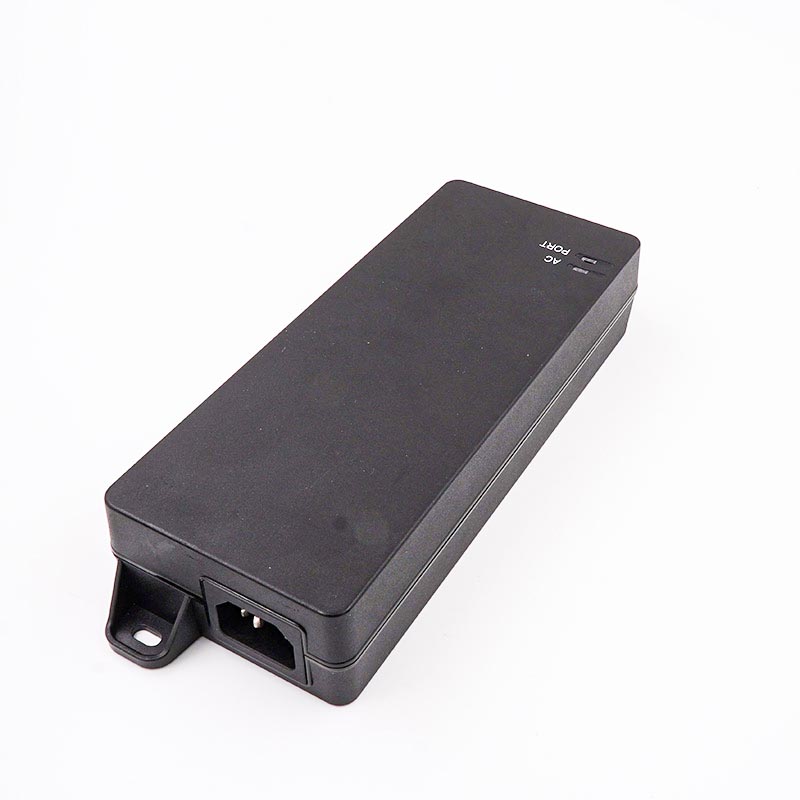
The hidden cost of getting power compatibility wrong can easily paralyze your entire network infrastructure. You might face severe equipment damage. You could experience intermittent boot loops on high-draw devices. Worse, you may suffer from bottlenecked network throughput. Selecting a power injector is no longer a simple, one-size-fits-all decision. The rapid rise of Wi-Fi 6 and Wi-Fi 6E access points completely changes the hardware landscape. High-end PTZ cameras and remote deployments require highly precise power matching. Mobile setups like RVs and rugged outdoor installations demand even tighter operational specifications. We provide a strict, evidence-based evaluation framework to guide your upcoming purchasing decisions. You will learn how to guarantee hardware safety across your network. We will help you achieve optimal performance for all connected devices. You can confidently maintain rock-solid network stability before committing to any hardware purchase.
Key Takeaways
Device compatibility requires matching three primary metrics: the IEEE protocol, power budget, and data throughput.
An active PoE injector is mandatory for safely powering modern standard-compliant equipment via power negotiation handshakes.
Selecting the correct Ethernet speed (e.g., 2.5GbE/5GbE) is as critical as power delivery to avoid bottlenecking enterprise Access Points.
Environmental factors (surge protection, extreme temperatures) dictate outdoor and mobile deployment success.
The Business and Operational Impact of Mismatched Hardware
You must clearly understand the symptoms of poor hardware alignment. Cisco or Ubiquiti access points often disable their radios due to low power delivery. They may remain online, but they operate at drastically reduced capacities. You will often notice unexpected equipment reboots during peak traffic hours. Engineers waste countless hours diagnosing these phantom network drops. They check cabling and switch configurations repeatedly. The root cause usually hides in plain sight. An underpowered injector quietly resets the endpoint under heavy load. This hardware mismatch entirely cripples the end-user experience.
Safety risks present an even larger operational threat. Passive "always-on" injectors push voltage constantly down the cable. They never verify device compatibility first. Applying passive power to non-compliant equipment risks immediate electrical damage. It can melt network ports instantly. It often fries delicate internal motherboard components. You lose the hardware permanently when this occurs.
A successful purchase eliminates these power-related network drops entirely. You maximize endpoint performance across all remote locations. You also maintain full manufacturer warranty compliance. Vendors quickly void equipment warranties when users apply improper voltage. Precision hardware matching prevents these catastrophic physical failures.
Step 1: Match the IEEE Standard to Your Endpoint
The negotiation handshake sits at the very core of hardware safety. Choosing an active PoE injector explicitly protects your endpoint devices. It intelligently verifies power requirements before sending any electrical voltage. The injector and the device communicate instantly upon connection. The injector only delivers power if this digital handshake succeeds.
You must map network protocols precisely to your specific devices. Let us break down the standard industry categories.
The IEEE 802.3af protocol safely delivers up to 15.4W of power. It serves perfectly as the baseline standard for basic VoIP phones. It also powers standard stationary IP cameras highly effectively.
The IEEE 802.3at protocol, commonly known as PoE+, provides up to 30W. It acts as the modern network baseline. You need it for most modern PTZ cameras. It is universally required for standard Wi-Fi 6 access points, such as U6-LR equivalents.
The IEEE 802.3bt protocol scales significantly higher. It easily pushes up to 60W for Type 3 configurations. It can deliver a massive 90W for Type 4 setups. This specific standard powers high-density enterprise APs. It supports advanced IoT hubs and motorized camera housings perfectly.
Backwards compatibility offers tremendous peace of mind during network upgrades. Higher-standard active injectors safely power your lower-standard devices. A high-end 802.3bt injector will flawlessly run a basic 802.3af camera. It intelligently auto-negotiates the precise wattage required. It never over-volts the connected hardware.
PoE Standard Comparison Chart
IEEE Standard
Common Name
Max Power (Port)
Typical Endpoint Devices
802.3af
PoE
15.4W
VoIP phones, basic indoor IP cameras
802.3at
PoE+
30.0W
PTZ cameras, standard Wi-Fi 6 APs
802.3bt (Type 3)
PoE++
60.0W
Enterprise APs, multi-sensor security cameras
802.3bt (Type 4)
High-Power PoE
90.0W
IoT lighting systems, motorized climate housings
Step 2: Calculate Output Power Requirements and Peak Draw
Understanding nominal versus peak draw is absolutely vital for success. Many buyers mistakenly look only at average idle draw statistics. You must check the endpoint spec sheet for maximum power consumption. Devices consume far more power when fully active. A security camera uses minimal power during warm daylight hours. Its power draw spikes aggressively when IR illuminators activate at night.
Verifying your exact output power prevents unexpected system failures. The injector rating must comfortably exceed the endpoint maximum draw. You must also factor in cable length power dissipation. Ethernet cables naturally lose power over long physical distances. A 100-meter cable run can easily lose several watts in transit. Always calculate this expected electrical loss.
Risk mitigation requires very strict power budgeting. Under-budgeting your power guarantees continuous device reboots. A Wi-Fi 6 access point might run perfectly fine under normal conditions. It will suddenly reboot when heavy radio usage spikes during meetings. The exact same logic applies to outdoor security cameras. When peripheral heaters or IR lights suddenly activate, weak injectors fail. Proper power budgeting entirely eliminates these frustrating operational outages.
Step 3: Align Ethernet Speed with Network Throughput Needs
The bottleneck effect easily destroys overall network efficiency. Passing power correctly means absolutely nothing if data lines throttle the network. Many administrators unfortunately overlook this crucial operational metric. They buy high-power injectors featuring slow legacy data ports. This common mistake severely cripples expensive enterprise equipment.
You must deeply understand Gigabit versus Multi-Gigabit requirements. Standard Gigabit (10/100/1000 Mbps) serves older legacy hardware well. It provides plenty of bandwidth for basic security cameras. It also handles older generation access points without any performance issue.
Multi-Gigabit connections (2.5GbE, 5GbE, 10GbE) are now explicitly mandatory. Wi-Fi 6E and Wi-Fi 7 enterprise access points demand massive network bandwidth. Devices like U6-Enterprise equivalents move gigabits of data instantly. You must use compatible injectors to prevent throttling the Ethernet speed. A standard Gigabit injector will artificially cap a 2.5GbE access point at baseline speeds.
Follow one very strict evaluation rule during procurement. Always ensure the data-in and data/power-out ports match exactly. They should dynamically equal or exceed your switch interface speeds. They must also perfectly match your endpoint hardware capabilities. This guarantees zero data bottlenecks across your infrastructure.
Step 4: Assess Environmental and Form-Factor Constraints
Outdoor and rugged deployments require extremely careful hardware selection. You might install exterior security cameras or remote communication arrays. Starlink RV setups are incredibly popular for remote workers right now. You must evaluate weatherproofing and strictly check official IP ratings. Wide operating temperature ranges are mandatory for freezing winter deployments. Integrated surge and lightning protection keep delicate equipment safe. Without this protection, lighting will destroy your expensive endpoints instantly.
Mobile and alternative power setups need specialized power hardware. RVs and off-grid solar deployments use DC-to-DC injectors frequently. You must emphasize strict voltage stabilization for these specific environments. Solar battery banks fluctuate wildly in their voltage output. A stabilized injector protects the endpoint from these dangerous power surges. It ensures consistent operation regardless of the current battery state.
Physical installation logistics cannot be ignored during planning. You should carefully evaluate wall-mount options before purchasing anything. Interlocking chassis systems work beautifully for managing multiple injectors neatly. You must also check localized AC power cord standards. A perfectly capable injector is useless if the plug does not fit. Proper physical planning saves hours of field deployment frustration.
Step 5: Validating OEM vs. Third-Party Alternatives
Cost versus strict compliance drives most enterprise purchasing decisions. You must safely evaluate third-party injectors against official OEM recommendations. Brands like Cisco or Ubiquiti push their own proprietary accessories aggressively. Many buyers assume OEM is the only truly safe route. This assumption severely limits your procurement flexibility.
Third-party manufacturers often build the exact same internal components. You simply need to verify the engineering spec sheet carefully. Certification checking separates high-quality hardware from cheap dangerous clones. Look specifically for official UL, CE, and FCC certifications. Do not trust uncertified power equipment under any circumstances. Demand strict adherence to IEEE standard compliance.
Use this specific shortlisting logic when evaluating your hardware options:
Determine the exact IEEE standard required by your specific endpoint.
Confirm any Multi-Gigabit speed requirements for your network data ports.
Verify the environmental IP ratings for your specific installation location.
Compare certified third-party options for maximum project cost-efficiency.
Following this highly structured sequence eliminates hardware guesswork entirely. It protects your infrastructure investment from day one.
Conclusion
Verifying exact PoE injector compatibility remains a critical operational risk-management exercise. Ignoring these protocols risks both physical hardware and baseline network stability. You must align your power standard, peak wattage, and data throughput perfectly. This careful alignment guarantees smooth network operation and prevents catastrophic equipment failures.
Take immediate action on your upcoming deployment plans today. Audit all of your endpoint specification sheets thoroughly. Note the required IEEE standard and maximum expected peak wattage. Identify the exact port speed required for full data throughput. Complete these basic verifications before finalizing any formal procurement list. Doing so ensures flawless implementation and pristine network performance.
FAQ
Q: Can I use an IEEE 802.3bt injector on an IEEE 802.3af device?
A: Yes. Active injectors intelligently auto-negotiate power requirements during the initial handshake. They will only deliver the specific wattage the connected device actively requests. This intelligent downward scaling makes them perfectly safe and fully backwards compatible for older legacy hardware.
Q: What is the difference between an active and a passive PoE injector?
A: Active injectors require a power negotiation handshake before sending any voltage, ensuring total device safety. Passive injectors force power constantly down the Ethernet line without checking compatibility. This passive approach is highly risky for incompatible or standard-compliant devices.
Q: Why is my Wi-Fi 6 Access Point rebooting under heavy load?
A: This symptom usually points directly to severely insufficient output power. You might be using an 802.3af injector for a device that peaks at 802.3at requirements. When network traffic spikes abruptly, the device starves for electrical power and automatically reboots.
Q: Does a PoE injector reduce my Ethernet speed?
A: It will only reduce throughput if you mistakenly purchase an injector rated for a lower speed than your network devices. Running a modern 2.5GbE access point through a standard legacy 1GbE injector immediately throttles your connection speed.
UE Electronic is a power supplier integrating R&D, production and sales. We maintain a leading level in extension cord and GaN charger.We are committed to becoming a global power supplier.