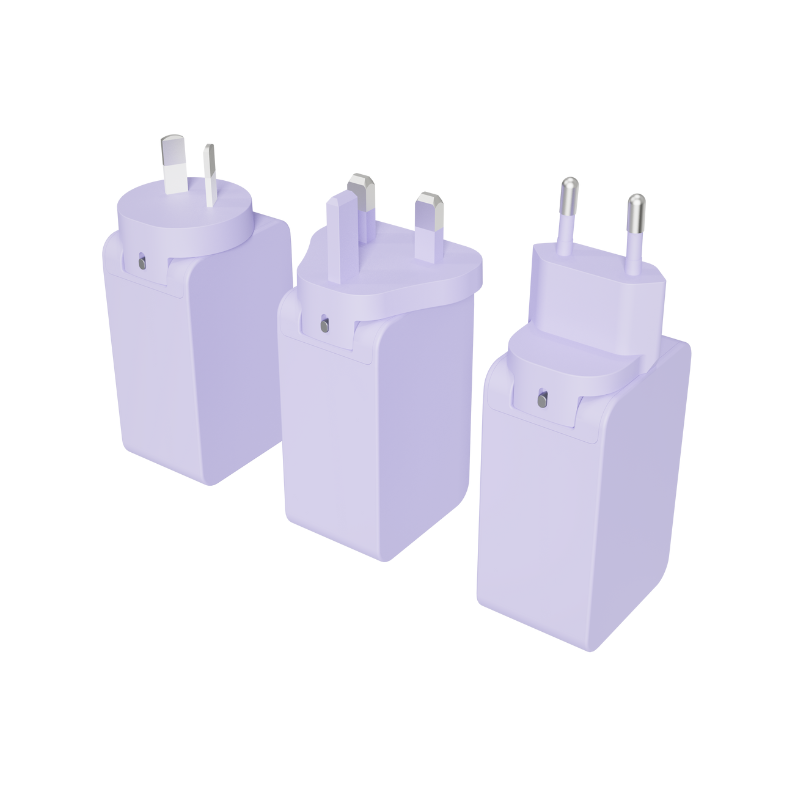
Upgrading to a Gallium Nitride charger shrinks your daily tech footprint considerably. You face a core dilemma when choosing your next power source. Should you buy a dedicated single-port brick, or do you need a consolidated hub? Market saturation of high-wattage chargers causes widespread confusion today. Brands highlight massive total output capacities on their packaging. They rarely explain actual per-device power delivery. This marketing noise makes purchasing decisions highly frustrating for average consumers. We want to cut through these confusing claims entirely. This guide helps you evaluate which configuration aligns best for you. You will analyze your specific device ecosystem, travel habits, and daily power requirements. We will explore power distribution mechanics and separate technical facts from marketing hype. By the end, you will confidently choose a configuration designed exactly for your routine.
Key Takeaways
Single-port chargers guarantee uninterrupted, maximum-rated power to a single heavy-draw device without power renegotiation.
A multi-port GaN charger reduces travel bulk and outlet dependency but relies on dynamic power allocation, meaning the advertised maximum wattage is split across active ports.
The decision hinges on understanding your primary device’s continuous power threshold versus your need to passively trickle-charge secondary accessories.
Material (GaN) and protocol (Power Delivery/PD) are separate; GaN manages heat and size, while PD dictates compatibility and charging speeds.
The Baseline: Separating GaN Material from Fast-Charge Protocols
Gallium Nitride fundamentally changed how we power consumer electronics. We must first understand why it beats traditional silicon. Silicon components require ample physical space to dissipate heat safely. They become incredibly inefficient at higher wattages. GaN conducts electrons far more efficiently. This advanced material allows manufacturers to pack internal components closer together. The result is a much smaller, cooler power brick. These physical constraints dictate design options for both single and multi-port models. You get more power in a smaller footprint regardless of the port count.
Many buyers hold a common industry misconception. They confuse the internal semiconductor material with the charging software. GaN is simply the internal physical material handling the electricity. A PD charger uses a specific software protocol to negotiate power transfer. Both single-port and multi-port models rely on Power Delivery (PD) to function safely. They communicate intelligently with your laptop or phone before sending any current. This prevents battery damage during daily use. Understanding this distinction prevents you from buying an incompatible unit.
We must also set balanced thermal expectations for your devices. GaN certainly runs cooler than legacy silicon options. However, pushing any high-wattage unit to its limit generates sensible heat. A 140W unit will still feel warm during a heavy rendering session. This heat is normal and expected by hardware engineers. Good internal thermal management keeps this heat safely away from critical components. A common mistake is covering a working adapter under blankets or pillows. Always give your power accessories room to breathe freely.
The Case for Single-Port GaN Chargers: Dedicated Stability
Some users demand absolute stability above all else. Single-port units deliver exactly this kind of reliability. Their primary benefit is pure, uninterrupted power delivery. You never experience annoying "handshake" resets. No power drops occur when someone plugs in another cable nearby. The electrical connection remains entirely steady from 0% to 100%. This provides ultimate peace of mind during critical tasks.
This dedicated stability serves several specific ideal use cases:
High-demand productivity laptops. (Think 140W+ gaming laptops or 3D rendering machines).
Fixed workstation environments. These are permanent desks offering plentiful wall outlets.
Users running battery-intensive tasks constantly without downtime.
Professional musicians or video editors who cannot risk sudden power drops.
You do face a notable trade-off here. Single-port units demand you carry multiple bricks for your secondary devices. You need a separate plug for your phone. You need another plug for your tablet. This bulky setup negates some inherent space-saving benefits of upgrading to newer technology. Your travel bag fills up quickly when every gadget needs its own dedicated power source. Managing cables becomes a frustrating chore during frequent business trips. Hotel rooms rarely offer enough outlets for three separate bricks.
The Case for the Multi-Port GaN Charger: Consolidation Strategy
Many modern users prefer the "one charger to rule them all" approach. A single multi-device charger simplifies your daily life dramatically. It easily handles a laptop, smartphone, and wireless earbuds simultaneously. You only need one available wall outlet to power your entire tech ecosystem. This eliminates outlet anxiety in busy public spaces.
These versatile models come in various useful form factors. You can find compact dual-port setups for light weekend travel. Manufacturers also build robust 4-port charger blocks. These larger units act as complete desktop replacements. They eliminate messy power strips entirely from your home office. They streamline your entire cable management strategy effortlessly.
This consolidation strategy shines brilliantly in these ideal use cases:
Frequent travelers optimizing their everyday carry (EDC) weight.
Coffee shop workers dealing with severely limited outlet availability.
Conference attendees who need to share a single plug among colleagues.
Using one multi-port GaN charger reduces clutter immediately. You pack fewer items before a business trip. Your hotel room desk stays neat and organized. You never worry about forgetting a specific adapter for a specific gadget. You simply grab one main block and your essential cables. This modern approach saves significant space inside your backpack.
The Power Distribution Reality Check: What the Specs Don't Tell You
Marketing materials often hide a crucial technical detail. We call this the "total wattage" marketing trap. A 100W model rarely delivers 100W to multiple devices at once. It splits that total capacity when fully populated. For example, it might divide into 65W, 30W, and 5W across three ports. Brands print "100W" in huge letters on the box. They bury the split ratios deep inside the fine print.
Dynamic power allocation drives this intelligent distribution. A technical reality causes small power resets during use. You plug a new phone into an active hub. The internal controller momentarily pauses all power delivery. It renegotiates safe wattage limits across all active ports. This handshake prevents dangerous overcurrent situations. Your laptop screen might dim for one second. It will resume charging normally right after the handshake completes.
Blind plugging issues often frustrate new users. Not all ports are created equal on these hubs. Top ports (often labeled C1 and C2) usually support high output. Lower ports (C3 or standard USB-A) might be hard-capped at 18W or less. Users must memorize these port hierarchies for optimal speeds. A common mistake involves plugging a thirsty laptop into a bottom port. The laptop will barely charge or might even drain under load.
Table 1: Example 100W Power Distribution Scenarios
Active Ports in Use
Port C1 Output (Top)
Port C2 Output (Middle)
Port A1 Output (Bottom)
C1 Only
100W Maximum
0W
0W
C1 + C2
65W
30W
0W
C1 + A1
65W
0W
18W
C1 + C2 + A1
45W
30W
18W
Decision Framework: Choosing Your USB-C GaN Charger Block
You need a systematic approach to make the right choice. Guessing leads to disappointing charging speeds later. Follow this simple framework before you finalize your purchase.
Step 1: Audit Your Peak Load Identify the minimum required wattage of your largest device first. A modern laptop might need 65W to charge while under a heavy load. It draws far less power in sleep mode. Always plan for the absolute heavy load scenario. This prevents annoying battery drain during intensive work sessions. Check the original manufacturer brick for exact input requirements. You can usually find these numbers printed in tiny text on the bottom label.
Step 2: Buffer for Multi-tasking If you select a GaN charger block, ensure adequate secondary tiers. Its split output must cover your laptop and phone simultaneously. The primary port cannot dip below your laptop's minimum threshold. A 100W hub works perfectly for a 65W laptop and a 30W tablet. A 65W hub would split into 45W and 18W. That 45W might not keep your laptop alive during a video call. Always buy slightly more capacity than you initially think you need.
Step 3: Travel vs. Stationary Footprint Evaluate the physical design carefully based on your lifestyle. Wall-hugging plugs are great for tight airport lounge spaces. However, heavy blocks are prone to sagging from loose hotel wall sockets. Cable-attached desktop models offer a much better solution for stationary setups. You plug a standard AC cable into the wall outlet. The actual USB-C GaN charger sits securely on your desk. This puts all your essential ports within easy arm's reach.
Here is a quick checklist for your final buying decision:
Calculate the absolute maximum wattage your primary laptop accepts.
Count the exact number of extra devices you charge daily.
Review the specific power distribution chart from the manufacturer carefully.
Decide between a direct wall plug or a cable-extended desktop model.
Verify broad compatibility regarding modern PD standards.
Conclusion
Single-port units excel at uncompromising, dedicated power needs. They never drop connections or renegotiate speeds. They remain the undisputed champions for heavy desktop rendering stations. Conversely, multi-port models excel at ecosystem consolidation and travel efficiency. They drastically reduce your daily carry weight and eliminate common outlet anxiety.
We highly recommend a tiered multi-port configuration for most modern hybrid workers. Choose one featuring at least one dedicated high-wattage port. This offers the absolute best return on your investment. You just need to understand the underlying power splitting mechanics. Knowing how your ports divide wattage prevents unexpected slow charging.
Before you purchase anything today, check the input requirements printed on your current laptop power brick. Match those numbers against the distribution charts of your desired model. This small step ensures your new tech upgrade perfectly matches your daily routine.
FAQ
Q: Does using all ports on a multi-port GaN charger slow down charging?
A: Yes. The total wattage is divided based on the charger's internal pre-programmed rules. High-draw devices will charge slower if the allocated wattage drops below their maximum intake capability.
Q: Why does my laptop stop charging for a second when I plug my phone into the same charger?
A: This is the Power Delivery (PD) protocol renegotiating safely. The charger briefly cuts power to reassess how much wattage each connected device needs to prevent overcurrent.
Q: Are GaN chargers safe for older, non-fast-charging devices?
A: Yes. The PD protocol ensures the charger only supplies the power that the connected device requests. A 100W GaN charger will safely deliver only 5W to a pair of older wireless earbuds.
UE Electronic is a power supplier integrating R&D, production and sales. We maintain a leading level in extension cord and GaN charger.We are committed to becoming a global power supplier.